Appearance
Fresh
Organization administration
Back
Organization administration overview
Copy as Markdown
Open MarkdownAsk Docs AIClaudeOpen in Claude
Table of contents
A Docker organization is a collection of teams and repositories with centralized management. It helps administrators group members and assign access in a streamlined, scalable way.
Organization structure
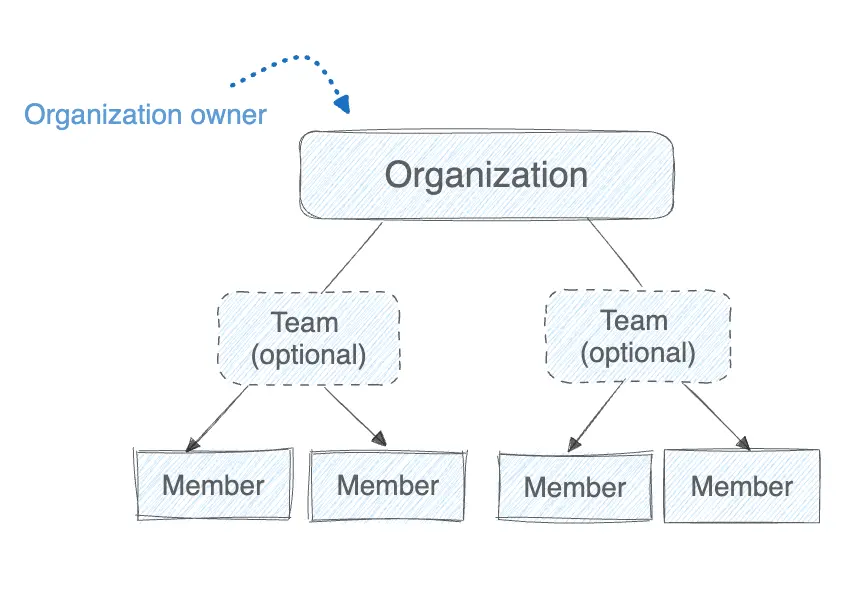
The following diagram shows how organizations relate to teams and members.
Organization members
Organization owners have full administrator access to manage members, roles, and teams across the organization.
An organization includes members and optional teams. Teams help group members and simplify permission management.
Create and manage your organization
Learn how to create and manage your organization in the following sections.
Onboard your organization\ \ Learn how to onboard and secure your organization.
Manage members\ \ Explore how to manage members.
Activity logs\ \ Learn how to audit the activities of your members.
Image Access Management\ \ Control which types of images your developers can pull.
Registry Access Management\ \ Define which registries your developers can access.
Organization settings\ \ Configure information for your organization and manage settings.
SSO and SCIM
Set up Single Sign-On and SCIM for your organization.